Today I’d love to share a few quick tips about my seating chart system. With twenty different classes coming to my room each week, I quickly realized that my seating chart system needed to be intuitive and easy to use. Having the seating charts organized is also extremely helpful to subs in your room.
Here are five tips to keep yourself sane when it comes to seating charts.
1. Use a graphics program.
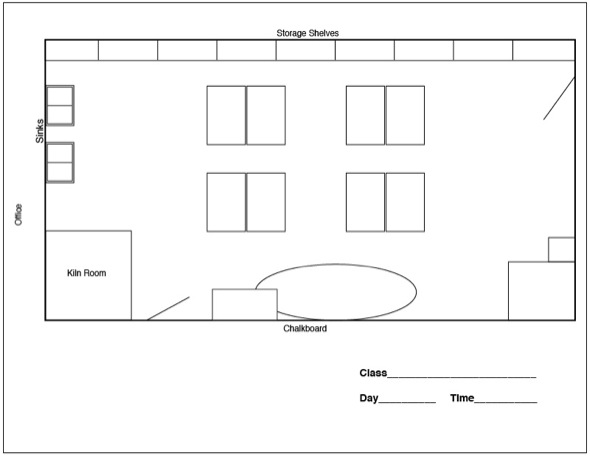
I made my seating chart in Adobe Illustrator, but the AutoShapes feature in Microsoft Word would also do the trick. Although tedious, using a graphics program is great because it keeps the chart super neat and you only have to draw it once. When you need more seating charts, just make more copies! As a bonus, if you have to have a room sketch at the end of the year, so the custodians know exactly how to put your room back together, you’re already done!
2. Organize your seating charts by day, not by grade level.
I organize my seating charts by day, instead of by grade level. Each day is organized in the order I see my classes, making it quick and easy to reference a certain class.
3. Consider color coding.
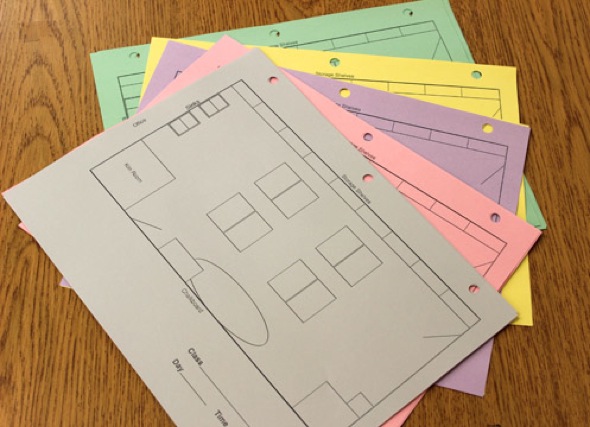
In addition, my seating charts are color-coded by grade level. Even with my seating charts in chronological order, it can be a bit much to have to flip through all of the papers to find the one I need. If I know I’m looking for the first-grade class on a Day 1 (we are on a rotating schedule), it’s much easier to find a yellow paper than a number 1.
4. Keep your seating charts easily accessible.
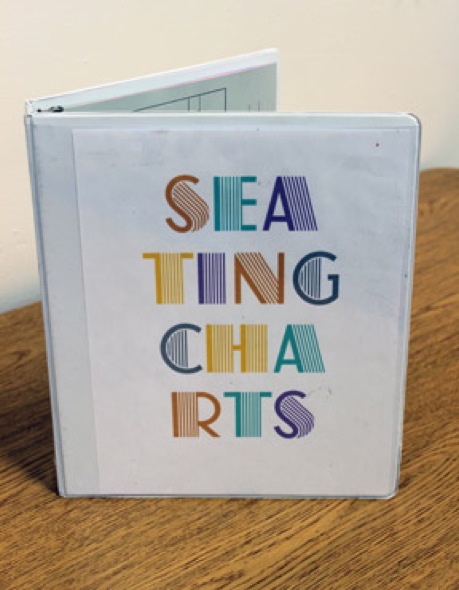
I use a binder for my seating charts, which sits on my whiteboard ledge at the front of the classroom. Having the seating charts right where I teach means I don’t waste time if I need to look at them. It’s also nice to have them readily available and visible for a sub.
5. Use a pencil and make extra copies.
I always tell my students that no seating chart is set in stone. Undesired behaviors (usually chattiness!) get students moved quickly. Using pencil makes it easy to switch students around. Occasionally, I’ll find it necessary to try an entirely new arrangement for a class. Having extra copies already made is a time saver.
How do you organize your seating charts? Is it working?
Does anyone NOT use pencil and paper for seating charts? Computer Program? Interactive Whiteboard System? We’d love to hear!
Magazine articles and podcasts are opinions of professional education contributors and do not necessarily represent the position of the Art of Education University (AOEU) or its academic offerings. Contributors use terms in the way they are most often talked about in the scope of their educational experiences.

 Article